Spark Event Platform
Mobile AppA React Native event networking platform connecting attendees, speakers, and sponsors through scheduled meetings, live updates, and QR-based ticketing.
Project Overview
Spark is an internal company application designed to streamline event networking and coordination. The platform allows attendees to browse schedules, request meetings with sponsors or other participants, manage QR-based tickets, and stay updated with real-time notifications.
Built with React Native and Expo, Spark runs natively on iOS and Android, delivering a smooth, mobile-first experience optimized for conference and corporate event environments.
My Role
Frontend Engineer (Mobile)
I was responsible for:
- UI implementation across all mobile screens
- Mobile navigation architecture with React Navigation
- State management and data flow
- Backend API integration
- Responsive mobile layouts and touch interactions
Note: I did not build the backend logic or server infrastructure.
What I Built
Core Features Implemented
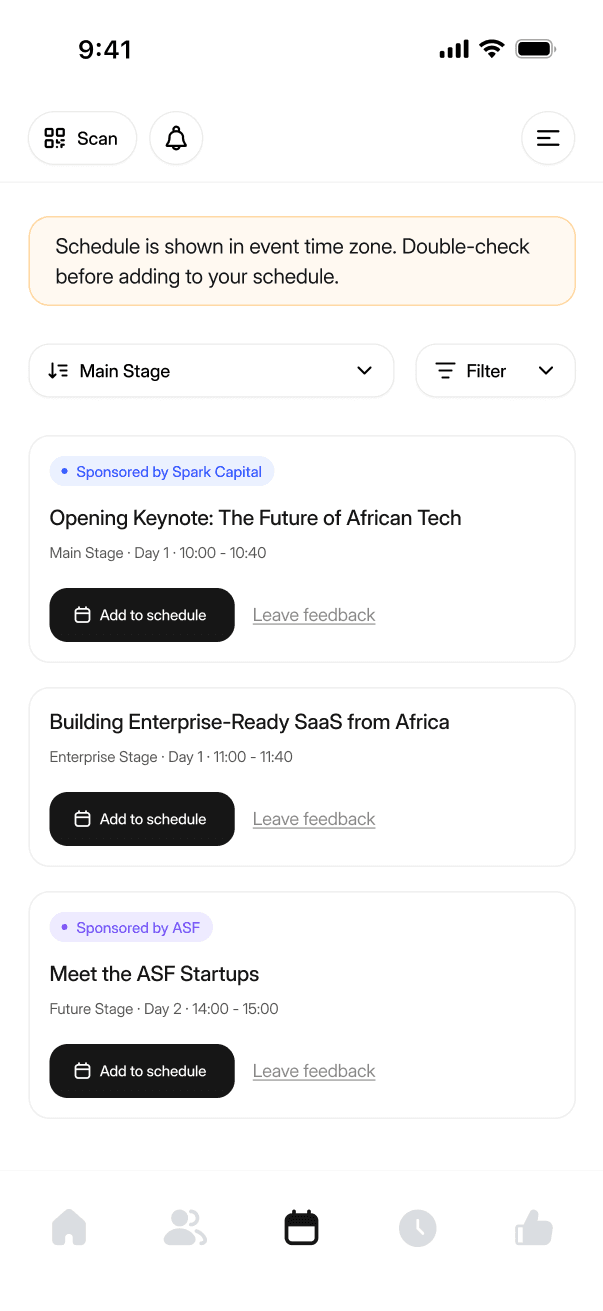
- ▹Event schedule browsing with filtering by stage and time
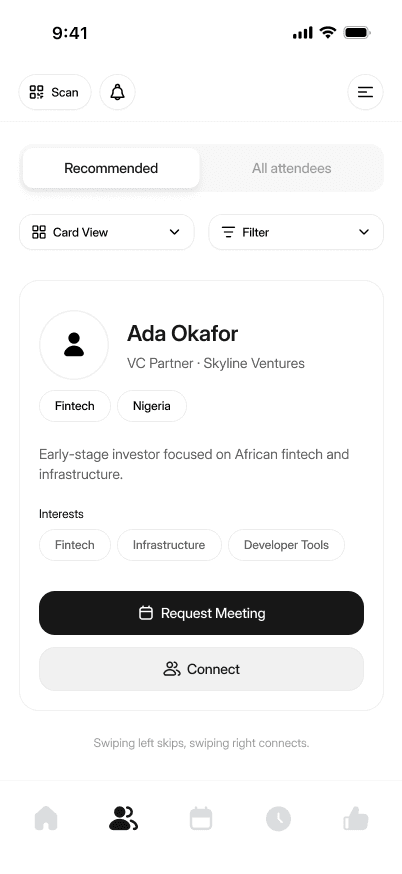
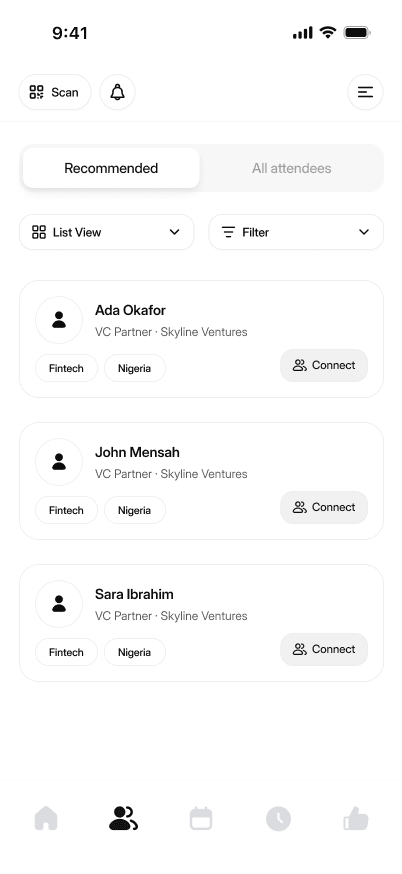
- ▹Attendee networking system with profile cards and connection requests
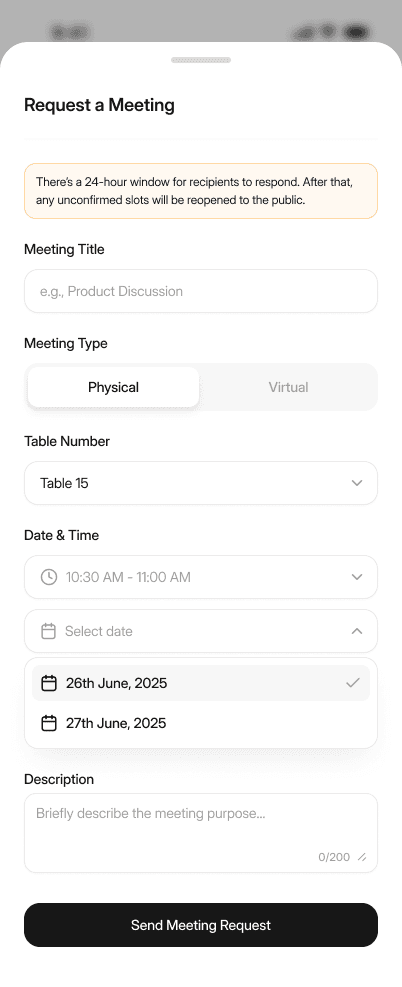
- ▹Meeting request flow (physical/virtual) with date, time, and location selection
- ▹QR code ticket scanner with transfer functionality
- ▹Company and speaker profile detail views
- ▹Personal profile management system
- ▹Notification center for meeting requests and updates
UI/UX Components
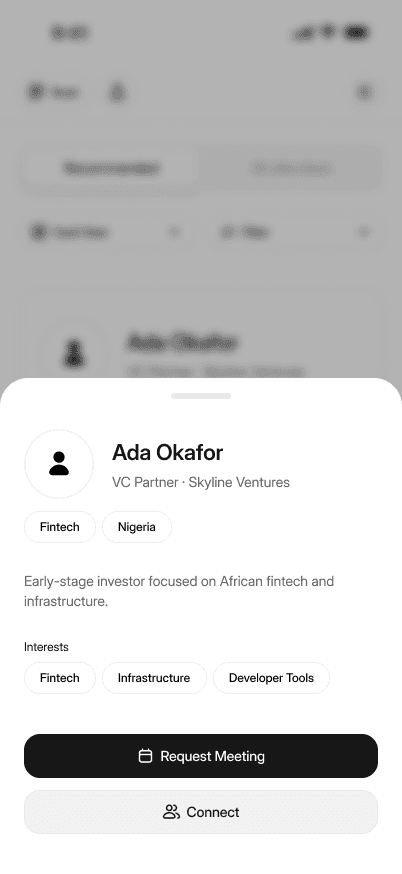
- ▹Bottom sheet modal for attendee details using @gorhom/bottom-sheet
- ▹Custom tab navigation with active state indicators
- ▹Swipeable card views with gesture handlers
- ▹Loading states and skeleton screens
Technical Implementation
- ▹Stack and tab navigation using @react-navigation/native
- ▹Tailwind-style utility classes with NativeWind for consistent design
- ▹QR code generation and scanning logic
- ▹API integration with mock data during early development
Tech Stack
Mobile Framework
- • React Native (0.81.5)
- • Expo SDK (54)
- • TypeScript (5.9.2)
- • React (19.1.0)
Navigation & Routing
- • @react-navigation/native
- • @react-navigation/native-stack
- • react-native-screens
- • react-native-safe-area-context
Styling & Design
- • NativeWind (Tailwind for React Native)
- • Tailwind CSS
- • react-native-svg
- • expo-linear-gradient
Animations & Gestures
- • react-native-reanimated
- • react-native-gesture-handler
Screens
These Figma design frames represent screens I personally implemented in the mobile app.
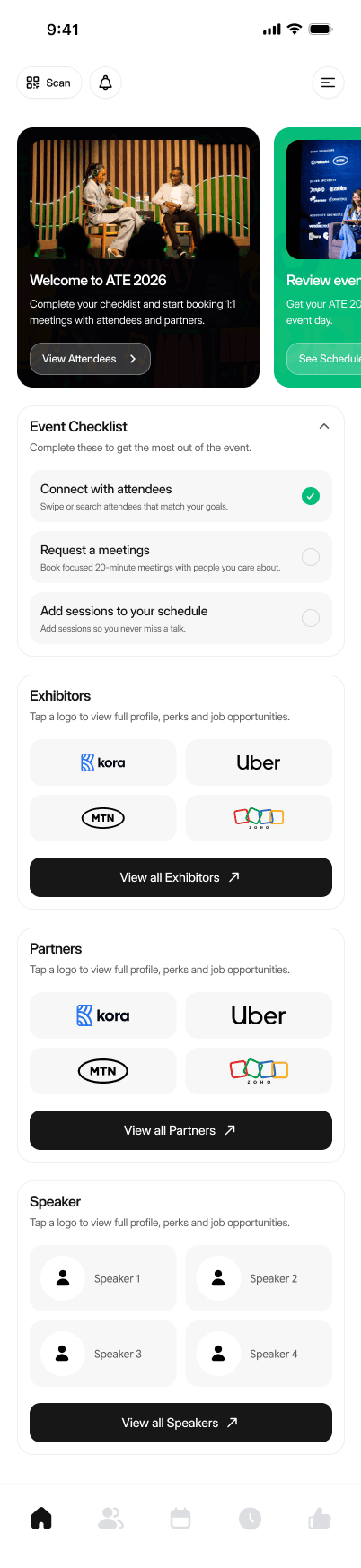
Home Screen
Main dashboard with event overview and quick access to key features
Event Schedule Browsing
Schedule Main
Filterable schedule view with stage and time selection
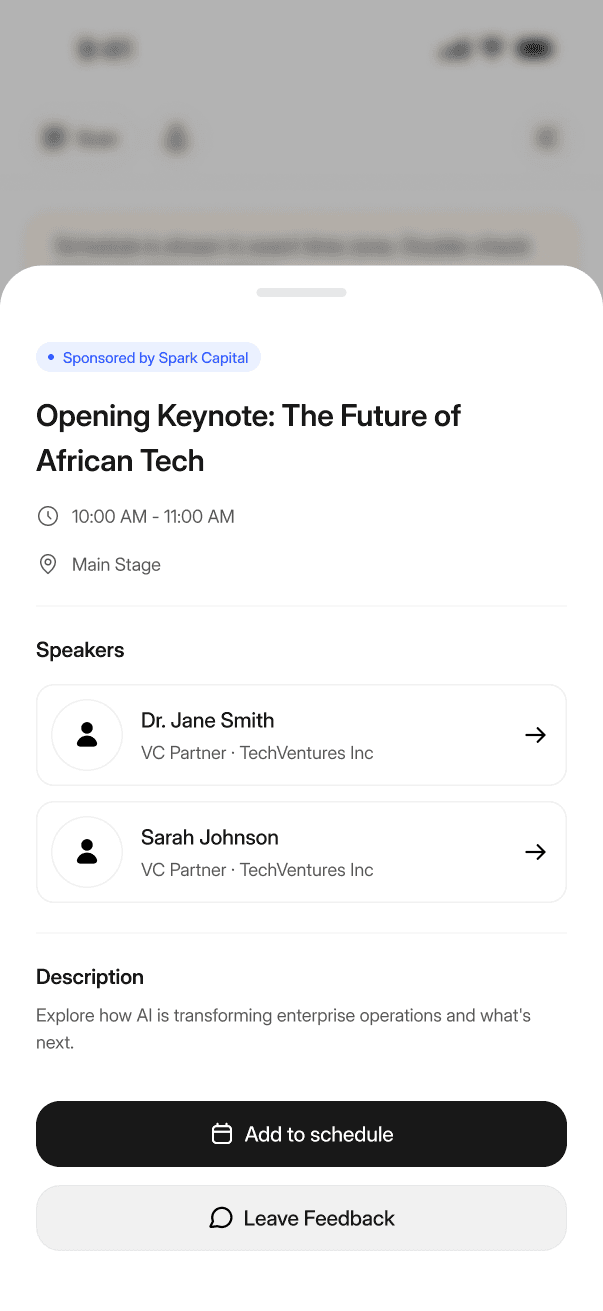
Schedule Detail
Detailed event view with speaker info and session details
Attendee Networking System
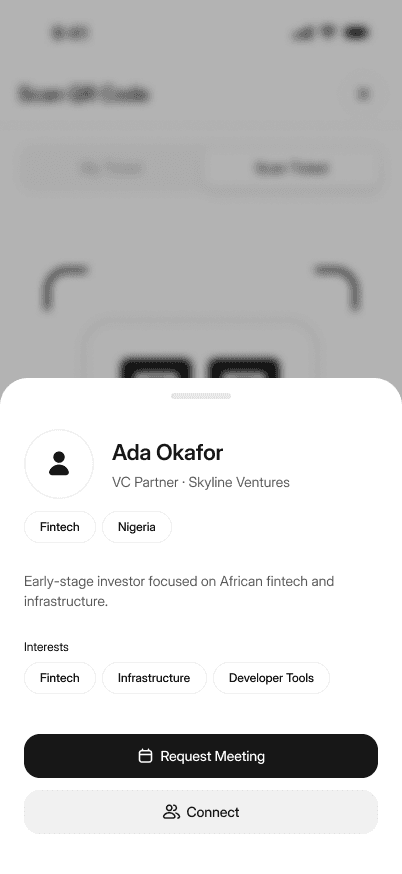
Card View
Swipeable attendee profile cards for quick browsing
List View
Compact list layout with key attendee information
Detail View
Bottom sheet modal with full profile and action buttons
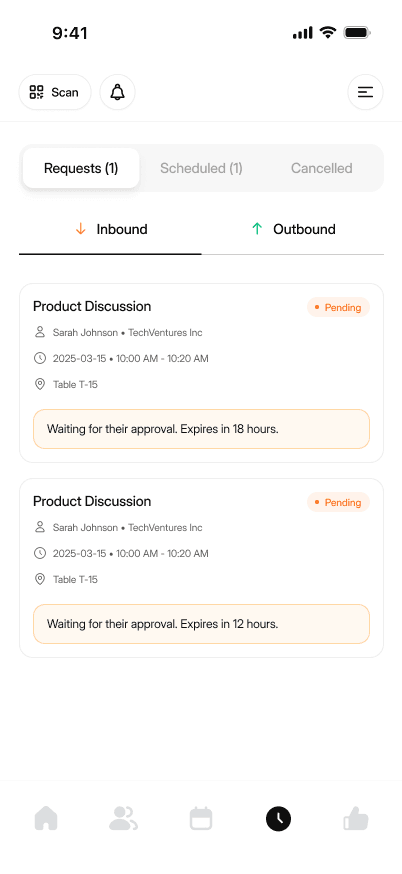
Meeting Request Flow
All Meetings
Overview of scheduled, pending, and past meetings
Request Meeting
Form for requesting physical or virtual meetings with date and location
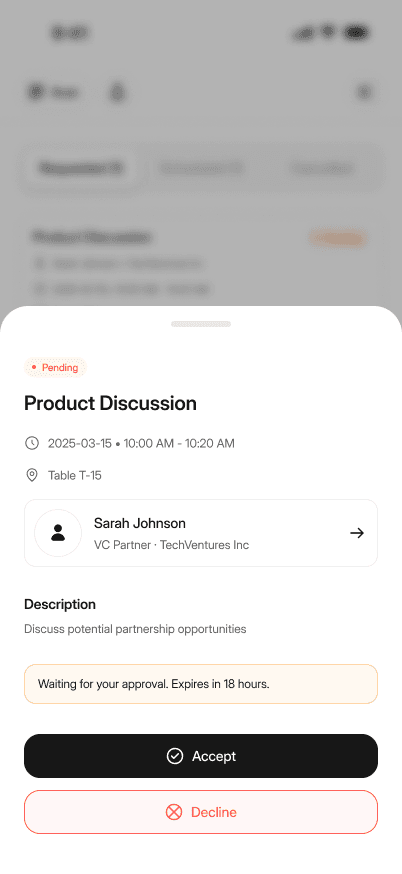
Inbound Request
Modal for accepting or declining meeting requests
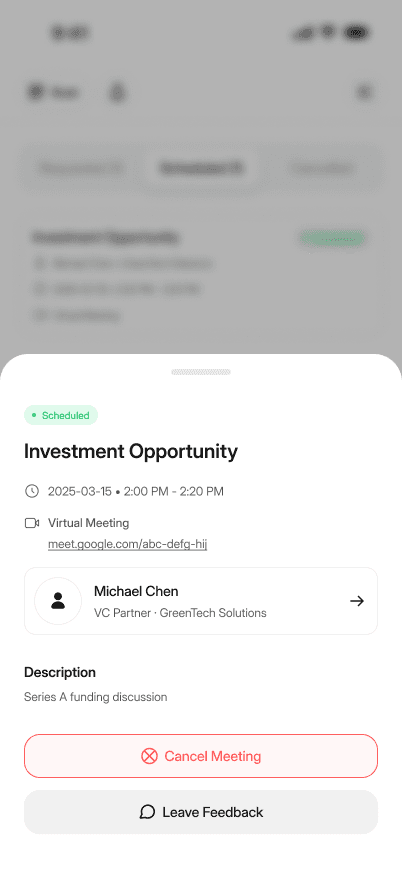
Scheduled Meeting
View confirmed meeting details with edit and cancel options
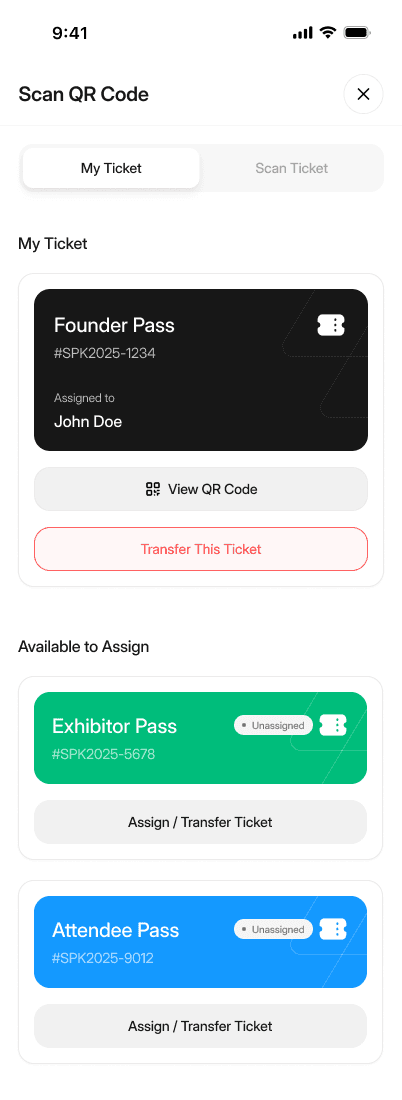
QR Code Ticket System
My Ticket
QR code display for event check-in and verification
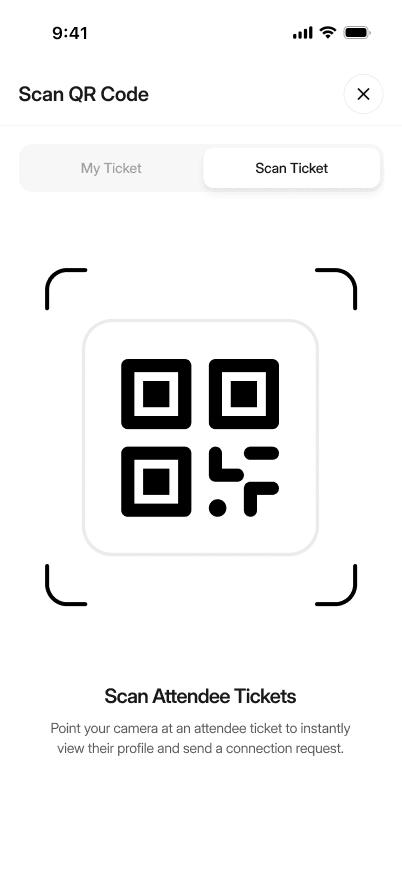
Scan Ticket
Camera integration for scanning attendee QR codes
Scanned Result
Validation result and attendee information post-scan
Profile Detail Views
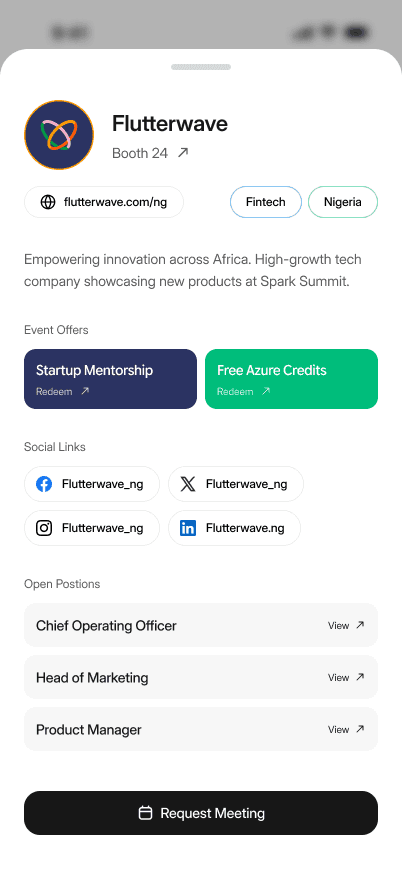
Company Profile
Sponsor company details with team members and contact info
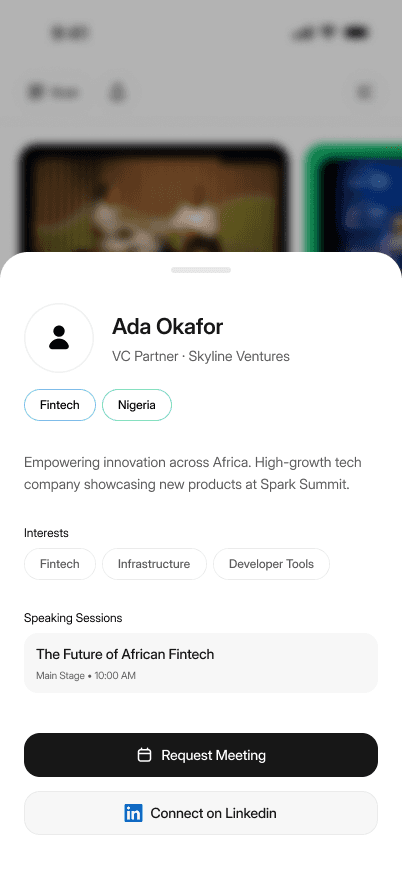
Speaker Profile
Speaker bio, session list, and meeting request option
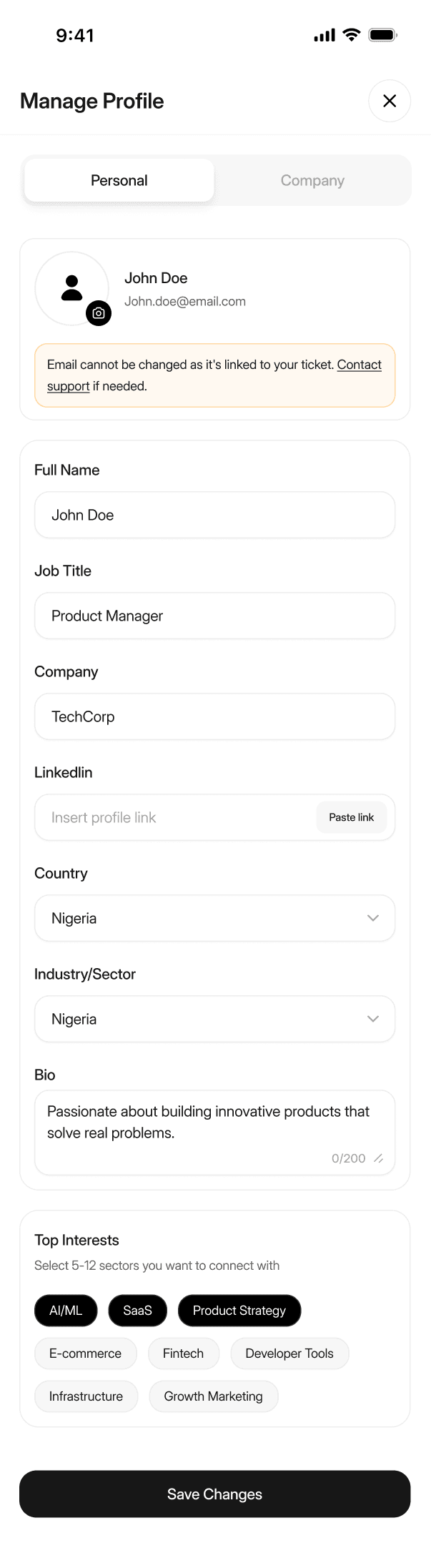
Personal Profile Management
Editable user profile with bio, company info, and social links
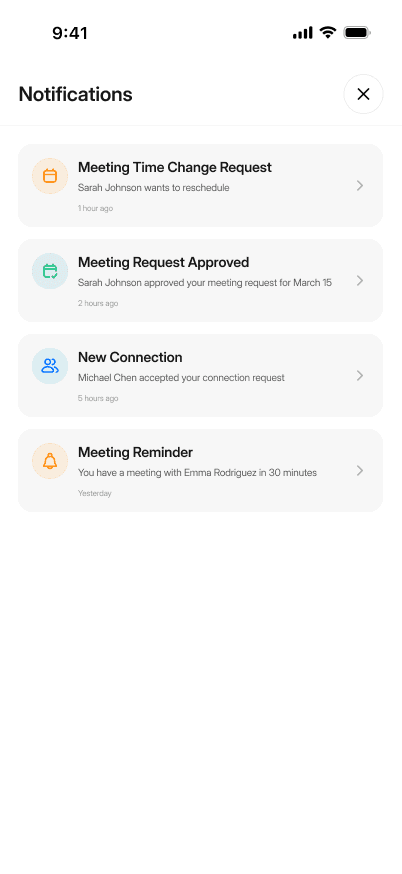
Notification Center
Notifications List
Real-time updates for meeting requests and event changes
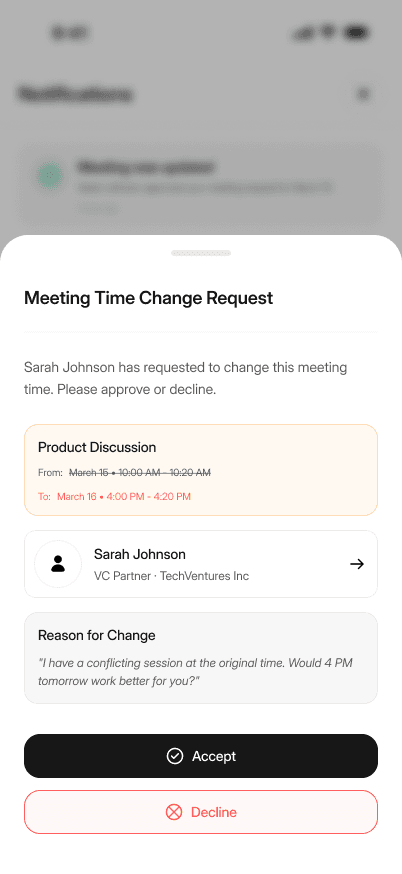
Notification Detail
Expanded view with full context and action options
Architecture & Integration
The app uses React Navigation's stack and tab navigators for seamless screen transitions. NativeWind brings Tailwind's utility classes to React Native, enabling consistent styling across components. State management relies on React's built-in hooks and context for simple, maintainable data flow.
Backend integration uses REST APIs with mock data fallbacks during early development. The app handles authentication tokens, error states, and loading indicators to provide a smooth user experience.
Challenges & Learnings
Cross-Platform Consistency
Ensuring UI elements rendered consistently across iOS and Android required platform-specific adjustments, especially for navigation headers and safe area handling.
Navigation Architecture
Structuring nested stack and tab navigators while maintaining clean state management taught me the importance of planning navigation flows early.
Mobile Gestures
Implementing swipe actions and bottom sheets required learning react-native-gesture-handler and understanding mobile touch interactions.
Performance Optimization
Rendering large lists efficiently led me to implement FlatList/SectionList with proper key extraction and memoization.
Next Steps
- ▹Implement offline-first data caching with AsyncStorage
- ▹Add push notifications using Expo Notifications
- ▹Integrate calendar sync for scheduled meetings
- ▹Enhance accessibility with screen reader support
- ▹Add unit and integration tests with Jest/React Native Testing Library